Bookmarks that stay close
Drag folders and files onto a bar. Click a folder for the current tab, Shift-click for another tab, or Ctrl+Shift-click for a new window.
 cvELD Book4Mark
Book4Mark 1.1.3 — Release notes
INSIDE WINDOWS 11 FILE EXPLORER
Your regular folders. The file you just opened. The tabs for your next project. Give them a place inside File Explorer.
Available on BOOTH · Free trial available

BOOK4MARK
Use the top, bottom, left and right bars your way. Choose the contents and appearance of each bar independently.
Drag folders and files onto a bar. Click a folder for the current tab, Shift-click for another tab, or Ctrl+Shift-click for a new window.
Find recently opened locations in History. Frequent items ranks locations by use count. The full edition starts at 10 entries each, with a maximum of 100.
Save your current tabs as a named group. Click to replace the window’s tabs, or right-click to append the group while keeping your existing tabs.
Adjust backgrounds, icon sizes and text sizes per bar. Choose folder colors and shapes, and symbols for your saved tab groups.
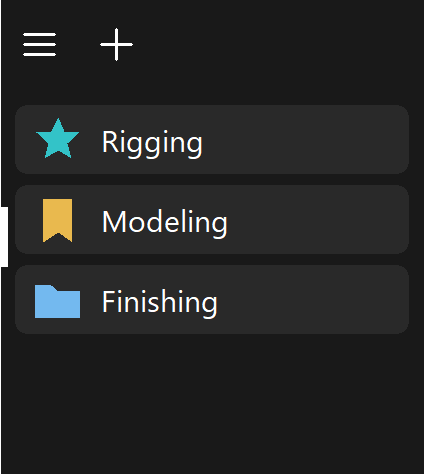
Changes save automatically. Add display names and notes to make targets easier to recognize. Export and import JSON to back up your settings.
User guide (English) ↗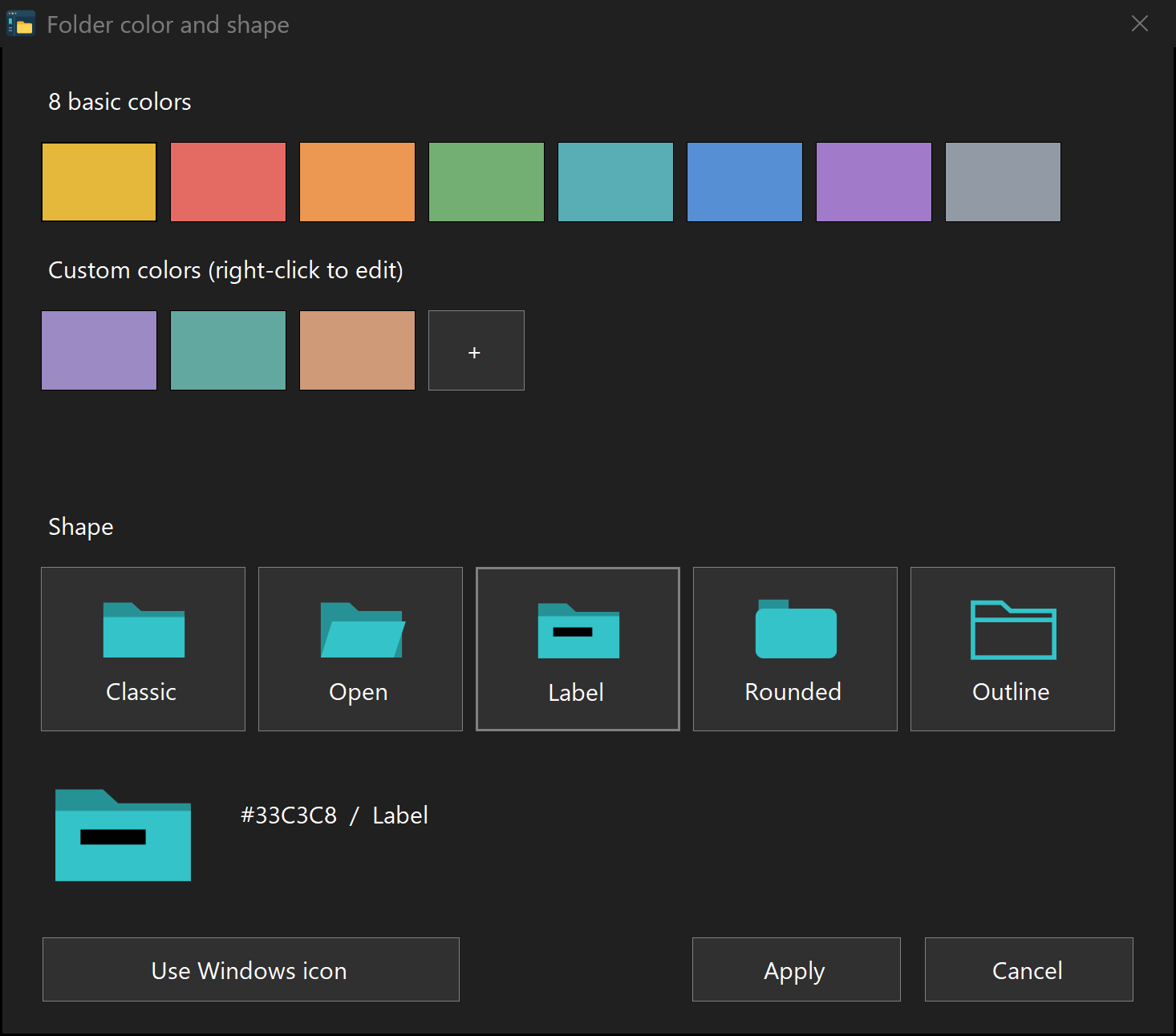
00:30
Japanese and English introductions. Actual product UI with illustrative animation.
Book4Mark
The free trial has no time limit. Try the same workflow with a smaller collection of entries.
Purchase the full edition or download the free trial from our BOOTH product page. Start with the trial, with no time limit.
Buy or try free on BOOTH ↗| Feature | Full edition | Free trial |
|---|---|---|
| Bookmarks | Register on each bar | Up to 3 per bar |
| History / Frequent items | 1–100 each* | Fixed at 3 each |
| Tab groups, appearance, JSON | Available | Same features |
*Starts at 10; display limits can be set from 1 to 100. Groups and separators do not count toward the trial’s bookmark limit.
Book4Mark uses the built-in Windows tabs and adds quick access to bookmarks, history and saved tab configurations.
Windows 11, 64-bit. Changes to File Explorer may require an updated version of Book4Mark.
The app supports Japanese, English, German, French, Spanish, Italian, Brazilian Portuguese, Korean, Simplified Chinese and Traditional Chinese. Follow the Windows display language automatically or choose manually. Some newer entries may fall back to English.
Export JSON from the trial, then choose Replace when importing it into the full edition. This also transfers tab groups, appearance and history.